Quick Answer
When evaluating practice management software integrations for a dental practice, the most important factors are integration depth (native vs. connector-based), real-time data sync (not batch or delayed), bidirectional read-write access (not just pulling data out but writing data back), and reliability under daily production volume. Ask the vendor whether the integration reads and writes to your PMS in real time, whether it requires a middleware layer, and whether it has been tested with your specific platform and version.
Integration is one of the most overused and least understood words in dental software. Every vendor claims to integrate with your practice management system. Very few of them mean the same thing when they say it.
Some integrations read data from your PMS. Some read and write. Some sync in real time. Some sync overnight. Some work natively inside the software. Others run through a third-party connector that adds latency, complexity, and potential failure points.
The difference between a good integration and a bad one is the difference between a tool your team actually uses and a tool they abandon after two weeks because it does not work the way they expected.
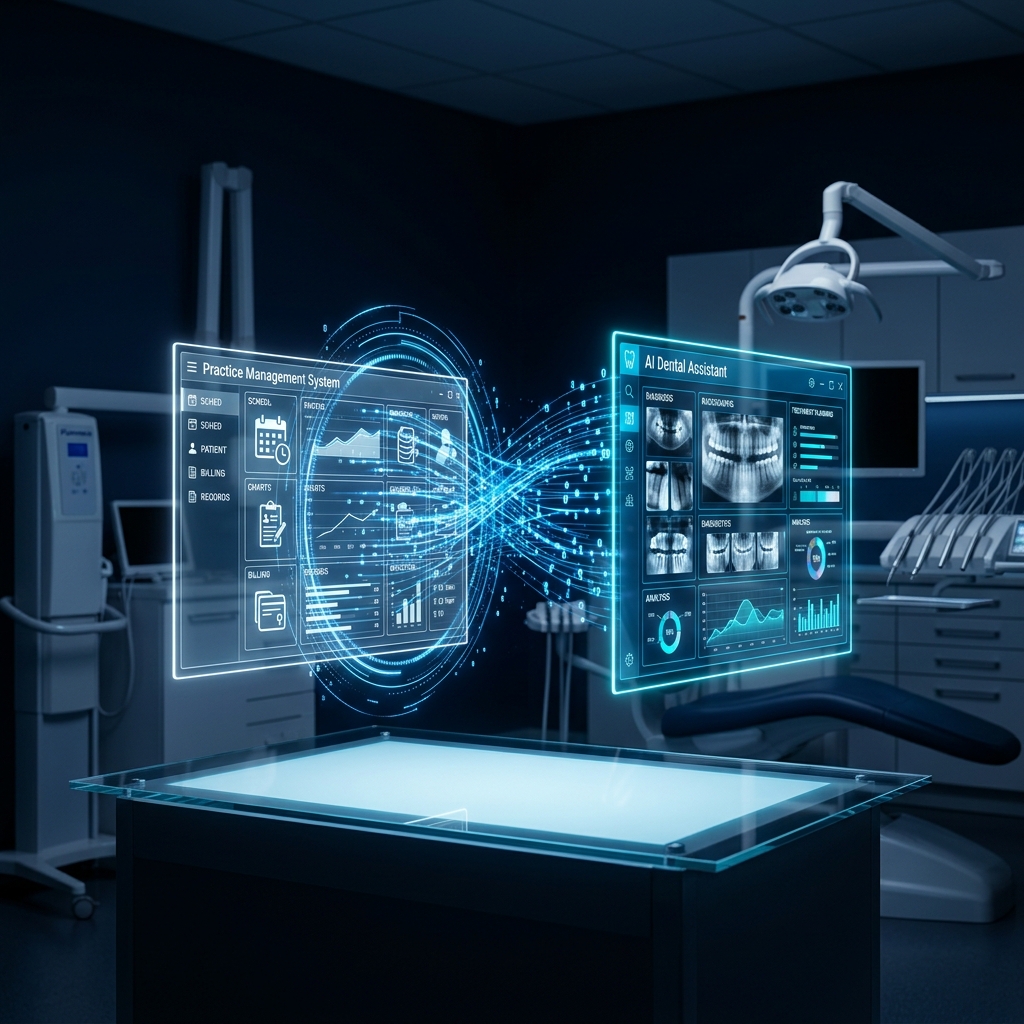
A deep integration creates one source of truth for your entire dental practice.
What Is the Difference Between Native and Connector-Based Integration?
A native integration is built directly into the practice management software. It reads and writes data using the PMS's own internal structure. There is no middleware, no third-party layer, and no external sync process. Data flows in real time because the integration is operating inside the same system.
A connector-based integration uses an intermediary to bridge the gap between the new tool and the PMS. This is the more common approach and it can work well when the connector is reliable and well-maintained. But it introduces dependencies. If the connector has a bug, an outage, or a sync delay, the integration breaks and the practice is left with disconnected data.
Why Does Real-Time Sync Matter?
When a patient calls and books an appointment through the AI DR, that appointment needs to appear on the schedule immediately. Not in five minutes. Not at the next sync cycle. Immediately. If the front desk looks at the schedule and does not see the appointment the AI just booked, they might double-book the slot or tell a patient the time is available when it is not.
Real-time sync is not a luxury feature. It is a requirement for any integration that touches the daily schedule, patient records, or clinical documentation. Anything less than real-time creates confusion and erodes trust in the system.
What Should the Integration Be Able to Read and Write?
A truly useful integration needs bidirectional access. Reading data from the PMS is table stakes. The integration should also write back to it. Appointments booked by AI should appear on the schedule. Clinical notes generated by AI should be saved to the patient record. Perio chart data captured by voice should populate the perio module. Confirmation statuses updated by AI should reflect in the patient's appointment details.
If the integration only reads data and requires someone to manually enter the output into the PMS, it is not saving time. It is adding a step.
How Does PatientXpress Handle Integration Across Different PMS Platforms?
PatientXpress offers a deep native integration with Open Dental. This is the flagship integration. Data flows bidirectionally in real time. Appointments, patient records, clinical notes, perio charts, and communication logs all live inside Open Dental without any external sync layer.
For practices on Dentrix, Eaglesoft, and other major platforms, PatientXpress connects through a seamless integration layer built on proven connector infrastructure. The integration is bidirectional, supports real-time data flow, and is maintained and updated as PMS platforms release new versions.
The goal is the same regardless of platform: one system, one source of truth, no manual data entry between tools.
What Questions Should You Ask a Vendor About Integration?
- Does your integration read and write to my PMS in real time?
- Is the integration native or connector-based?
- If connector-based, who maintains the connector and what happens if it breaks?
- Can I see the integration working live in a demo with my specific PMS?
- What PMS versions are supported?
- How long does integration setup take during onboarding?
- What happens to my data if I cancel the service?
Any vendor that cannot answer these questions clearly does not have an integration worth trusting with your daily operations.
See the Integration With Your PMS Live
Book a free demo and we will walk you through exactly how PatientXpress works inside your practice. No pressure. Just a real look at what it can do for your team.
Book Your Free DemoQuestions first? Call us at (949) 542-6773 or visit www.patientxpress.us/try-our-ai